A web project management app for startups and small teams
The product shipped as Spot Mobile Manager. TaskFlow was the working title I used throughout the project, and it is what the design files carry. The name and brand are the client’s; the product design is mine. Only the mobile app is publicly available.
- Project type
- Web & mobile application
- My role
- Product Designer (UX / UI)
Context & Problem
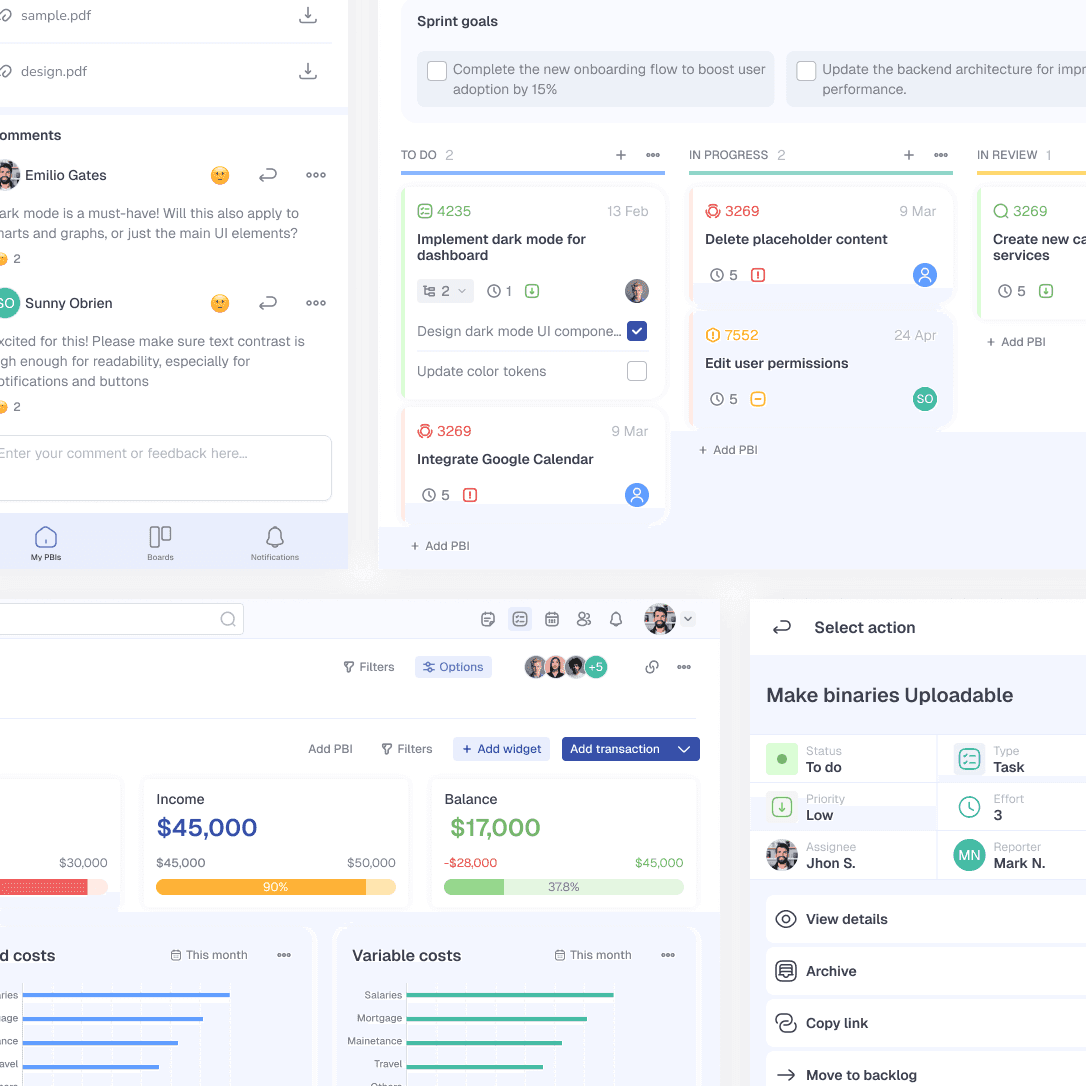
TaskFlow is a project management application designed for startups and small businesses that need a balance between essential features, performance, and ease of use.
Many existing tools such as Asana, ClickUp, and Trello offer powerful functionality but often become overwhelming due to complexity and bloated feature sets. For smaller teams, this results in slower onboarding and tools that are harder to scale and maintain over time.
The project started from an existing version of the application, which the owner was not satisfied with: not the UI, not the scalability, not the responsiveness.
The main objective was to create a clearer, more compact, and more flexible system that could support growth and attract potential investors.
My Role & Responsibilities
I was responsible for the entire product design process, including:
- user and product research
- information architecture
- wireframing
- design system creation
- high-fidelity UI design
- interactive prototyping
The project was approached as an end-to-end product design effort, with a strong focus on structure, scalability, and real-world constraints.
Constraints & Key Decisions
Refactoring instead of redesign
Although an older version of the product existed, the lack of scalability and responsiveness required a full refactor. Existing assumptions were discarded in favor of a cleaner, more robust foundation.
Compact UI over visual comfort
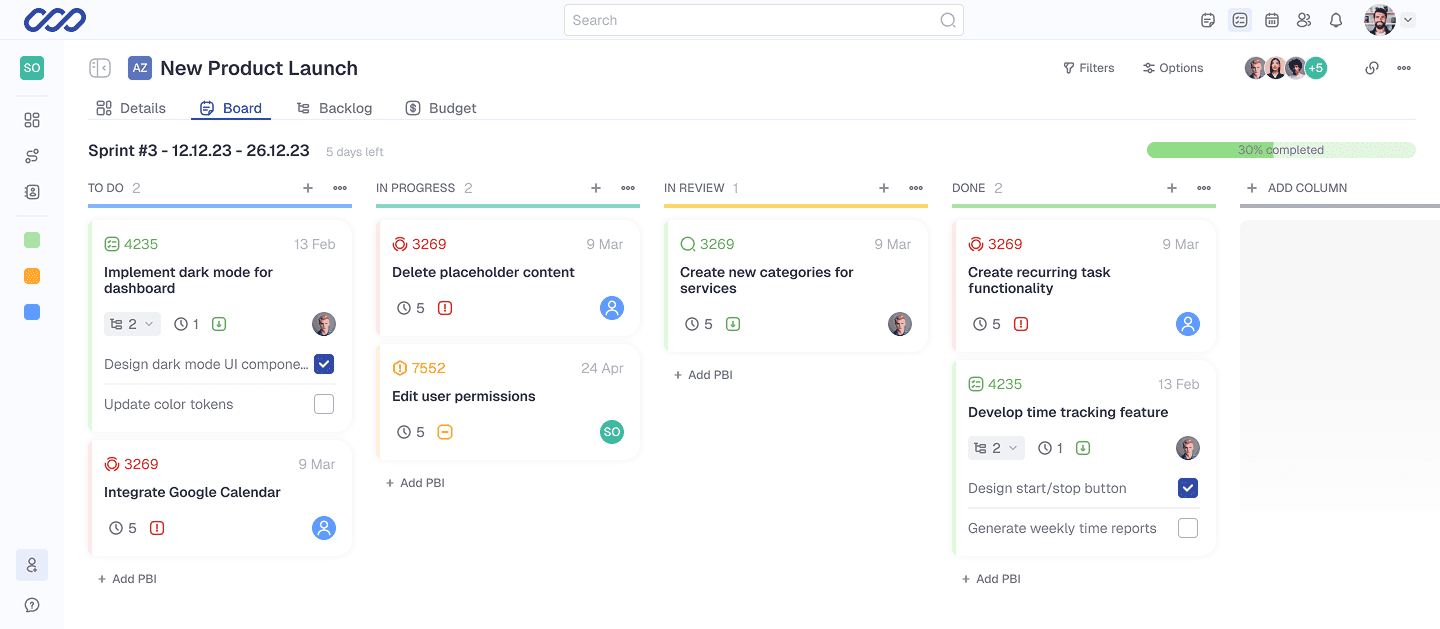
Initial UI explorations used larger elements and generous spacing. These decisions reduced the amount of useful information visible on screen. The interface was redesigned to be more compact, prioritizing information density and productivity.
Integrated budget and financial tracking
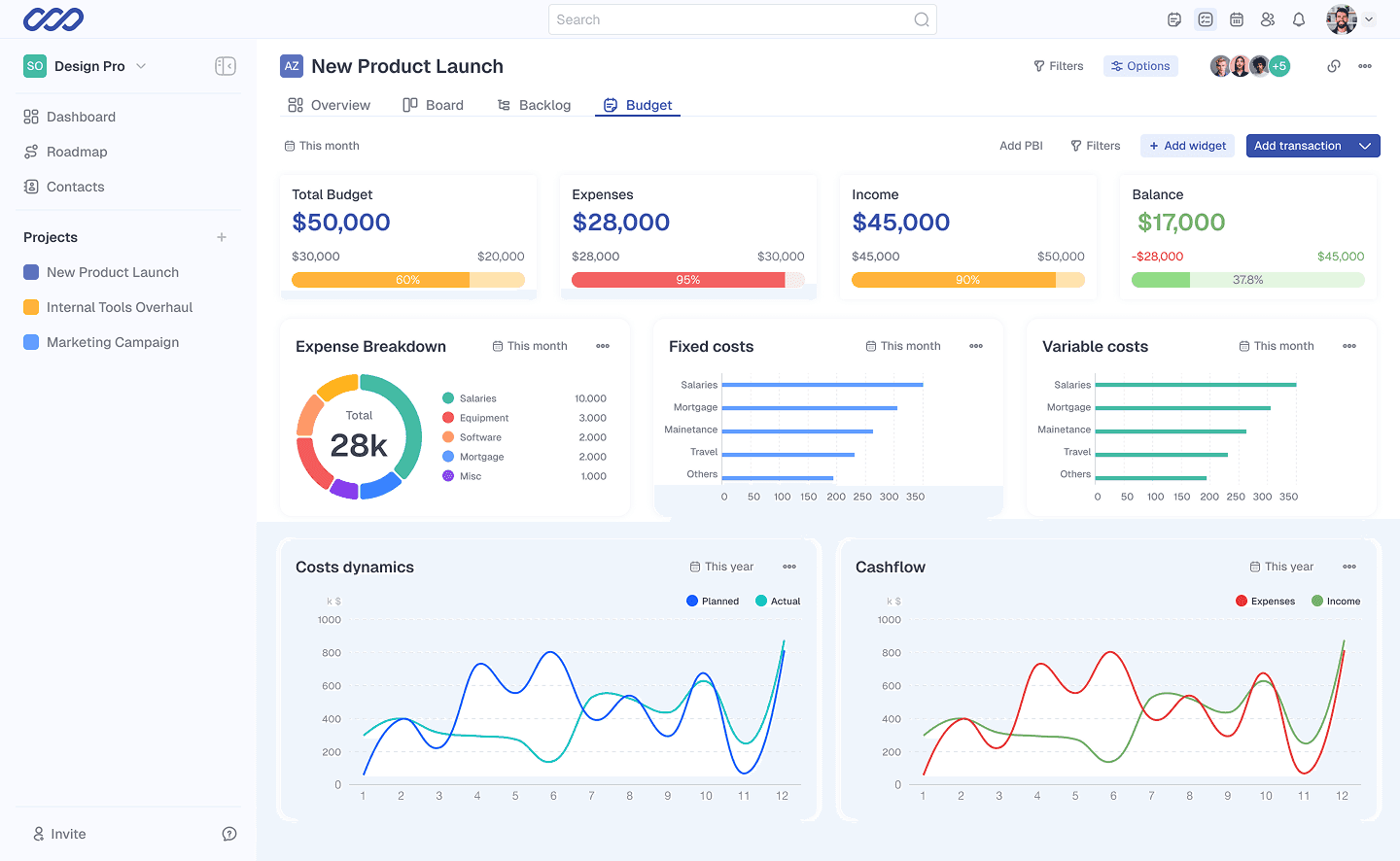
Small businesses needed visibility into expenses and income without relying on external accounting tools. A dedicated Budget section was introduced to keep financial and project data connected.
Modular customization
A widget-based system was chosen to allow users to customize dashboards based on their needs, without overwhelming them with complex configuration options.
Solution
TaskFlow was designed as a compact, responsive, and modular project management tool focused on productivity.
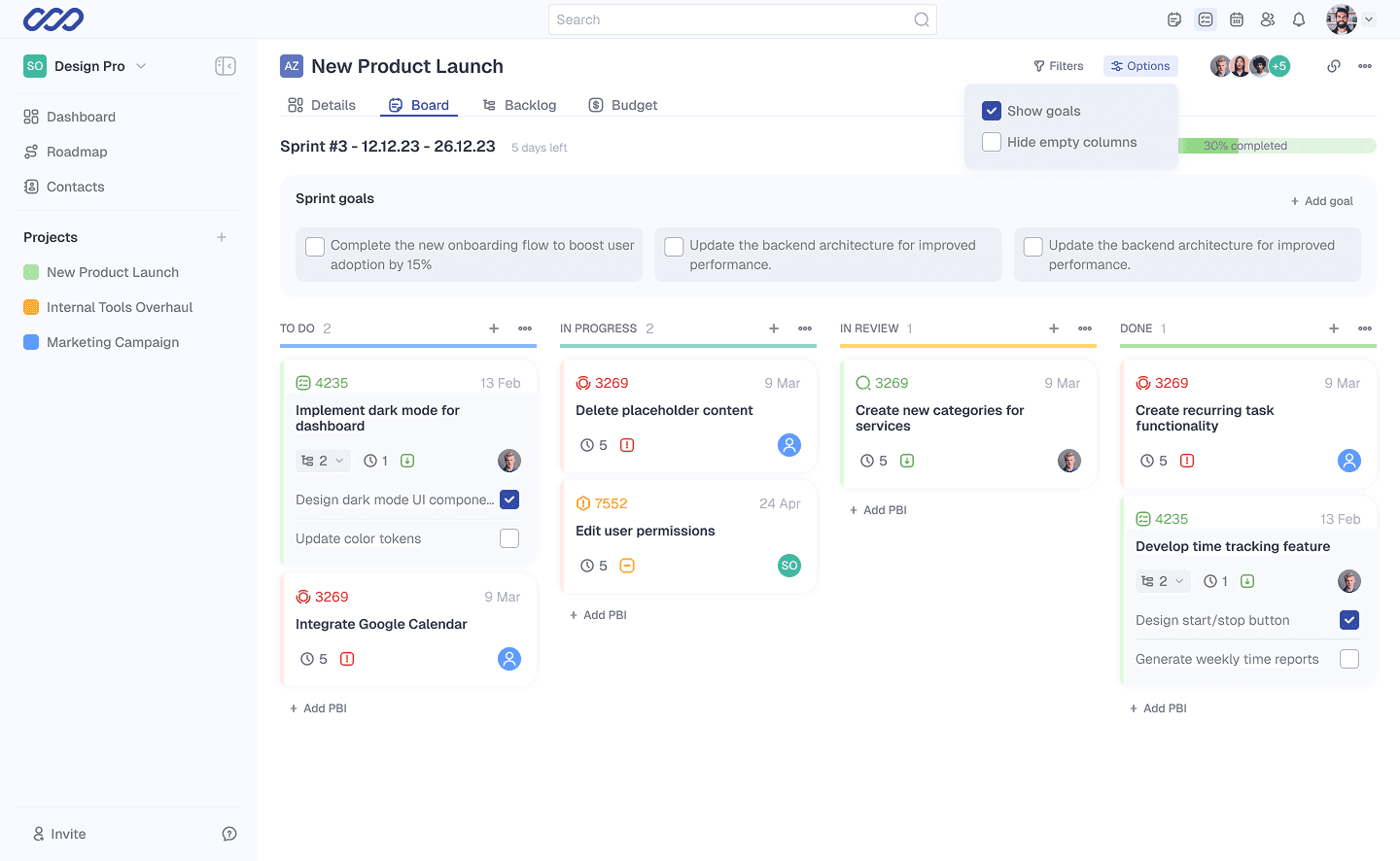
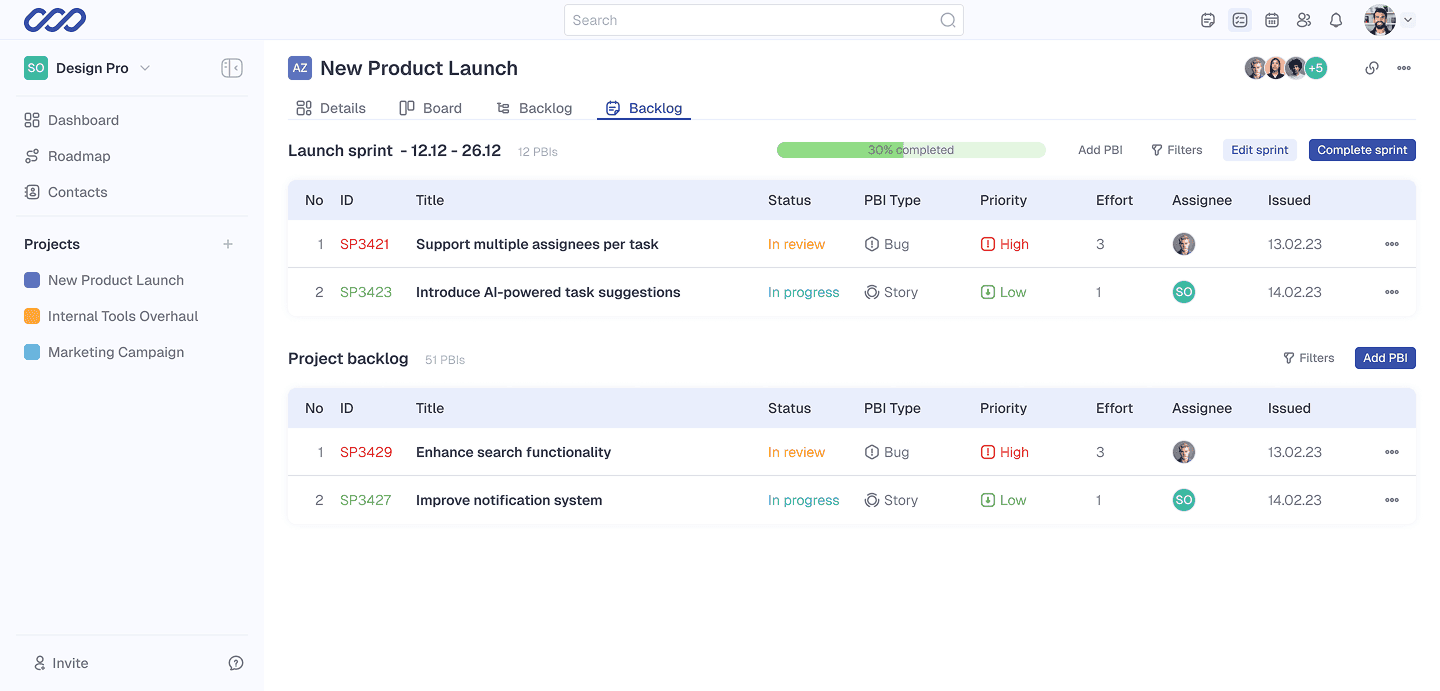
Agile workflows are supported through backlog and sprint boards, enabling quick task creation, drag-and-drop prioritization, and progress tracking.
A dedicated Budget tab provides an overview of Total Budget, Expenses (Planned vs. Real), Income (Planned vs. Real), and Balance. Bar and donut charts are used to make financial insights easier to understand at a glance.
Dashboard customization is handled through a smart widget picker, allowing users to add or remove widgets such as Epics List, Activity Feed, or My Tasks, depending on their role and priorities.
To reduce friction for new users, a guided tour accessible from the Help menu and in-context tooltips were added to support feature discovery.
Results
- A design system built from scratch, covering the component set used across the product
- A responsive UI that holds from wide desktop down to mobile
- Backlog and sprint boards with quick task creation and drag-and-drop prioritisation
- A Budget section covering total budget, planned vs. real expenses and income, and balance
- A widget picker for composing the dashboard from Epics List, Activity Feed and My Tasks
- A guided tour in the Help menu, plus in-context tooltips for first-time users
This is what I delivered. The engagement ended at handoff and I had no access to usage data afterwards, so I make no claims about how any of it performed in production.
What I Learned
- Refactoring from scratch can be more effective than iterating on flawed foundations
- Compact interfaces can significantly improve productivity in complex tools
- Integrating financial data into project workflows adds real value for small teams
Interested in working together?
If you’d like to discuss a similar problem or explore a collaboration, feel free to reach out.